How to Remove Your Personal Information From People-Search Sites in the US
People-search websites can expose personal details such as your home address, phone number, age, and relatives. This practical US-focused guide explains how to find your listings, submit opt-out requests, verify removals, handle rejected requests, and reduce the chance of your information reappearing. It also explains California’s DROP data deletion platform, who can use it, and its limitations.
In this article
- What Are People-Search Sites, and How Do They Get Your Information?
- People-search sites and data brokers are related, but not identical
- Why your information may be listed even if you never created an account
- Before You Start: Prepare for the Removal Process
- 1. Create a private removal tracker
- 2. Use a separate email address for opt-out requests
- 3. Be careful with identity verification
- Step 1: Find People-Search Websites That List You
- Search for your name
- Search using your phone number
- Search using your current or previous address
- Use search results to identify the source website
- Step 2: Submit an Opt-Out Request to Each People-Search Site
- 1. Locate the website’s opt-out page
- 2. Find the correct profile
- 3. Copy the profile URL
- 4. Complete the opt-out form
- 5. Confirm the request
- 6. Record the submission date
- Step 3: Verify That Your Information Was Removed
- Check the original website first
- Check search engine results separately
- Do not treat one successful removal as complete protection
- Step 4: Use California DROP if You Are Eligible
- Who can use DROP?
- How to submit a DROP request
- What happens after submitting a DROP request?
- What DROP does not replace
- Step 5: Handle Rejected or Incomplete Removal Requests
- If the website cannot identify your profile
- If the website requires email verification
- If the website requests identity documents
- If the request is rejected without a clear explanation
- If the site makes removal difficult
- Step 6: Reduce the Chances of Your Information Reappearing
- Limit information on social media
- Review public profiles and directory listings
- Protect your phone number and email address
- Remove unused accounts when appropriate
- Avoid sharing unnecessary personal information
- Step 7: Create a Routine for Checking New Listings
- Start with a manageable schedule
- Recheck after important changes
- Consider whether a paid removal service is worthwhile
- Common Mistakes to Avoid When Removing Personal Information
- Assuming one opt-out removes every listing
- Providing too much personal information
- Forgetting to confirm the request
- Assuming public records have been deleted
- Ignoring listings connected to relatives
- Believing removal guarantees protection from fraud
- Conclusion
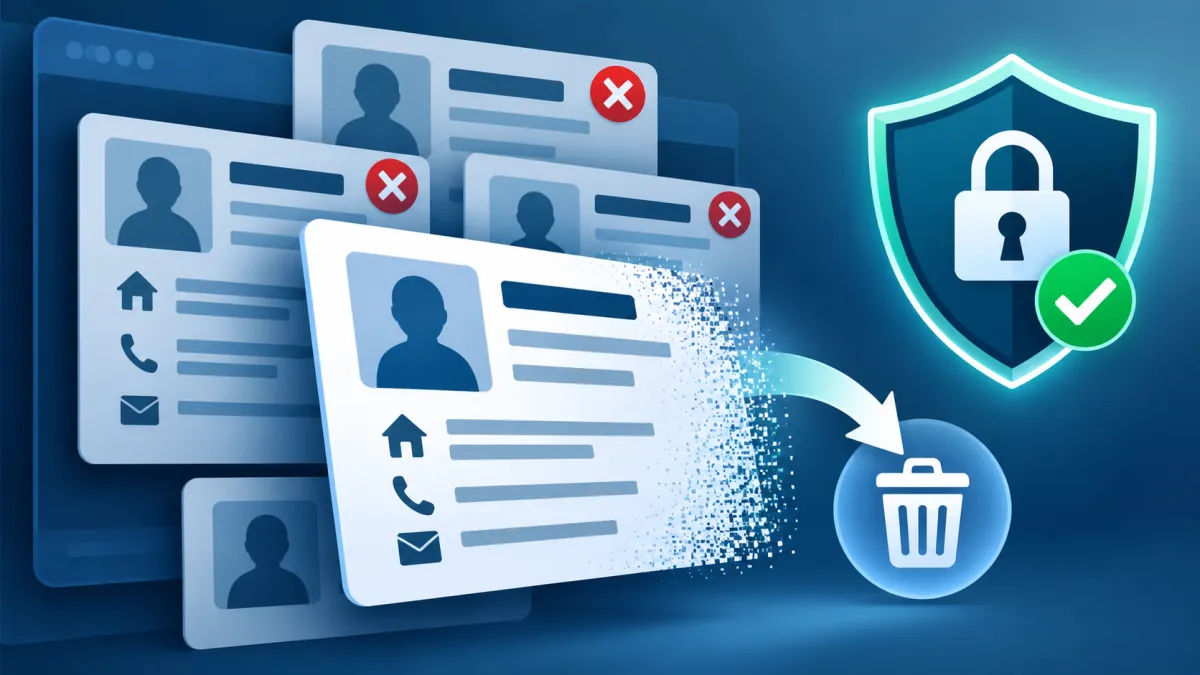
People-search websites can make it easy for strangers to find personal details such as your name, home address, phone number, email address, age, and information about relatives. These websites often collect information from public records and other sources, combine it into searchable profiles, and make it available to people who want to look you up.
You can reduce the amount of personal information exposed on these sites by submitting opt-out requests. The process usually involves finding websites that list you, locating their removal forms, verifying your identity when required, and checking whether your information has actually disappeared.
However, opting out of people-search sites does not remove every trace of your information from the internet. Public records may remain available, and your details can reappear if a website obtains new data. A practical approach is to remove existing listings, protect the information you share, and periodically check for new exposures.
This guide explains how to identify people-search listings, request removal, track your progress, handle rejected requests, and understand the options available to US residents—including California’s data-broker removal program.
What Are People-Search Sites, and How Do They Get Your Information?
People-search sites are websites that allow users to search for individuals using details such as a name, phone number, or location. They may display a profile containing several pieces of information about the same person.
Common details found on these sites include:
-
Full name and possible name variations
-
Current or previous home addresses
-
Phone numbers
-
Email addresses
-
Approximate age or date of birth
-
Names of relatives or household members
-
Possible associates
-
Public-record information
These websites may collect information from public records, commercial data sources, and other databases. They combine the information into profiles that can be easier to search than the original records.
People-search sites and data brokers are related, but not identical
The terms are often used interchangeably, but they describe slightly different things.
A people-search site is generally designed to help someone find information about a person. A data broker is a business that collects and sells or shares personal information about consumers with whom it does not have a direct relationship.
Some people-search websites operate as data brokers. Other data brokers may provide information to businesses rather than displaying public-facing search profiles.
This distinction matters because a removal request sent to one website may not remove the same information from every other company that holds it.
Why your information may be listed even if you never created an account
You do not need to register with a people-search website for it to create a profile about you.
For example, information associated with an address or phone number may be collected from public records or other sources. A website may then connect that information with your name and display it in a profile.
This means deleting a social media account or changing your privacy settings on one platform may not remove listings that already exist on unrelated people-search sites.
Before You Start: Prepare for the Removal Process
Removing listings one by one can take time. A little preparation can help you avoid repeated searches and unnecessary exposure of additional information.
1. Create a private removal tracker
Use a spreadsheet or private document to record each website you find. A simple tracker can include:
| Website | Listing found | Request submitted | Confirmation | Follow-up |
|---|---|---|---|---|
| People-search site A | Yes | Yes | Saved | Recheck |
| People-search site B | Yes | No | Not applicable | Submit |
| People-search site C | No | No | Not applicable | No action |
Record the website name, the date you submitted the request, and any confirmation number or email.
Do not store sensitive identity information in an unsecured spreadsheet. The tracker should help you manage the process without becoming another place where personal information is exposed.
2. Use a separate email address for opt-out requests
Some websites require an email address to confirm a removal request. Consider using a separate email address dedicated to privacy requests.
This can help keep opt-out confirmations separate from your personal or work inbox. It also makes it easier to search for messages related to removal requests.
Use an email address you can access reliably. If a website sends a verification link, you may need to open it before the request is processed.
3. Be careful with identity verification
A people-search site may ask for information to confirm that you are the person associated with a listing. Depending on the website, the request may involve your name, address, phone number, or email address.
Before providing anything:
-
Confirm that you are on the website’s genuine opt-out page.
-
Provide only the information reasonably required for the request.
-
Avoid submitting your Social Security number unless there is a compelling, verified reason.
-
Do not upload an identity document to an unfamiliar or suspicious website.
-
Read the privacy terms for any information you submit.
-
Avoid paying simply because a website makes its removal process confusing.
Some websites may offer paid removal assistance, but the Federal Trade Commission explains that people can submit opt-out requests themselves for free.
Step 1: Find People-Search Websites That List You
The first task is to discover where your information appears. There is no single search that finds every listing, so use a few different approaches.
Search for your name
Start with a search engine and enter your full name in quotation marks.
For example, a hypothetical search could look like:
"Jordan Taylor" "Phoenix"
Use your actual name and a city where you have lived. If your name is common, adding a location can help narrow the results.
Try name variations when relevant:
-
Full name
-
First and last name
-
Middle initial
-
Previous surname
-
Common spelling variations
Do not assume every result belongs to you. Compare the location, age range, relatives, or other visible information before submitting an opt-out request.
Search using your phone number
A phone number can sometimes lead to a profile that does not appear prominently in a name search.
Try searching your phone number in quotation marks. If the number is listed on a people-search website, the result may identify the profile or website where it appears.
Use caution when searching online. Avoid entering your number into unfamiliar websites that promise to reveal every data broker holding your information.
Search using your current or previous address
Search engines may also show pages connected to a residential address.
You can search for your address using quotation marks, but be careful not to publish or share it in public forums while looking for listings.
Previous addresses may also be associated with your profile. You may need to review listings connected to places where you lived before moving.
Use search results to identify the source website
A search engine result may display a profile snippet without showing all the information on the page. Open the result only if the website appears legitimate and safe to visit.
Once you identify a profile, record the website and the information you need to locate the opt-out form. Avoid downloading reports or purchasing access unless you have a clear reason.
The Federal Trade Commission provides additional consumer guidance on people-search sites that sell your information.
Step 2: Submit an Opt-Out Request to Each People-Search Site
Most people-search websites have a process that lets consumers request that their existing information stop being sold or displayed. The exact steps differ by website, so there is no universal removal form.
A typical opt-out process follows this pattern.
1. Locate the website’s opt-out page
Look for links labeled:
-
Opt Out
-
Do Not Sell or Share My Personal Information
-
Remove My Information
-
Privacy
-
Your Privacy Choices
-
Suppress My Record
These links may appear in the footer, privacy policy, or help section.
If you cannot find the form, search the web using the website’s name together with a phrase such as “opt out” or “remove my information.” Make sure the resulting page belongs to the actual website.
2. Find the correct profile
Some websites require you to locate your profile before submitting the request.
Search using the details the site supports, such as your name and state. If several profiles appear, carefully identify the one that belongs to you.
Submitting a request against the wrong profile may not remove your information and could create confusion.
3. Copy the profile URL
If the website asks for the listing URL, copy the direct address of the profile page.
This is often more useful than sending the website a general request to remove your name. The profile URL helps the company identify the exact listing you want removed.
Keep the URL in your private tracker.
4. Complete the opt-out form
Enter only the information required to identify the listing and process the request.
A site may ask for your email address to send a confirmation link. Others may require additional verification.
Read the instructions carefully. A request may not be complete until you click a confirmation link or submit a verification step.
5. Confirm the request
If the site sends an email, open it and follow the instructions. Check your spam folder if the confirmation does not arrive.
Save the confirmation email, reference number, or screenshot showing that the request was submitted.
6. Record the submission date
Add the date to your tracker. This gives you a reference point when checking whether the listing has been removed.
Do not assume the profile is gone immediately after submitting the form. The website may need time to process the request.
Step 3: Verify That Your Information Was Removed
Submitting an opt-out request and confirming removal are two separate tasks.
After the website has had time to process your request, revisit the profile URL. If the listing is no longer available, that is a useful sign that the request worked.
However, a profile may still appear in search engine results even after the website removes the underlying page. Search engines may retain cached snippets or outdated listings temporarily.
Check the original website first
Open the direct profile URL you recorded.
If the page displays a removal confirmation, a notice that the profile is unavailable, or no longer shows the personal details, record the result in your tracker.
If the listing remains visible, review the website’s instructions to determine whether you need to wait, complete another verification step, or contact its privacy team.
Check search engine results separately
Search for your name and other identifying details again.
If a search result still displays an old snippet, the original website may have removed the listing but the search engine may not yet have updated its result.
You can explore the search engine’s outdated-content removal process when the underlying page has already changed or disappeared. This is separate from submitting an opt-out request to the people-search website.
Removing a search result does not necessarily remove the information from the original source.
Do not treat one successful removal as complete protection
Your profile may exist on several websites. Even if one company removes your listing, another company may continue to display the same information.
For that reason, verification should be done site by site.
Step 4: Use California DROP if You Are Eligible
California offers a centralized privacy tool called the Delete Request and Opt-out Platform, commonly known as DROP.
Instead of submitting individual deletion requests to many participating data brokers, eligible California residents can use DROP to submit a single request covering active data brokers registered with the state program.
Official website: California DROP
Who can use DROP?
DROP is designed for California residents. California residency may include people who live in California or are domiciled there while temporarily outside the state.
The state uses a residency verification process. If you live outside California and are not a California resident, you should not assume that you qualify simply because you are a US consumer.
How to submit a DROP request
The process generally involves these steps:
-
Visit the official DROP website.
-
Review the terms and verify your California residency.
-
Create your deletion request profile.
-
Enter the personal identifiers you choose to provide.
-
Review the information before submitting.
-
Save the confirmation and your DROP ID.
-
Check your request status as processing results become available.
Identifiers may include your name, email address, phone number, ZIP code, and other supported information. Providing more relevant identifiers can help data brokers match your request to their records.
Only enter information you are comfortable submitting through the official state platform. Review the program’s terms and privacy policy before proceeding.
What happens after submitting a DROP request?
As of November 2026, California data brokers are required to begin processing DROP requests starting August 1, 2026. Data brokers must access and process requests on a recurring basis, at least every 45 days. Status updates may take up to 90 days to appear.
A data broker that matches your information must delete non-exempt personal information under the program’s rules. Certain information may be exempt, and publicly available information is not necessarily removed.
The state platform can show different statuses, including:
| Status | General meaning |
|---|---|
| Deleted | The broker matched your information and deleted non-exempt personal information. |
| Exempted | The broker matched your information but is legally allowed to retain it. |
| Opted-out | The broker could not make the required exact match but has restricted sale or sharing under the applicable process. |
| Record not found | The broker did not find a matching record using the information provided. |
| Pending | The broker has not yet completed processing. |
A “Record not found” result does not necessarily mean your information is absent from the entire internet. It means the broker could not identify a matching record using the submitted information.
You may be able to update your profile with additional identifiers if you believe the match was incomplete.
For more details, use the official California DROP explanation and DROP help page.
What DROP does not replace
DROP is a valuable centralized option, but it is not a universal internet removal service.
It does not automatically remove information from every website, public record, or business with which you have a direct relationship. It also does not replace individual opt-out procedures for websites outside the program.
California residents may therefore still need to review people-search listings directly.
Step 5: Handle Rejected or Incomplete Removal Requests
Some websites may reject an opt-out request, ask for additional verification, or fail to remove the listing. The reason may be a mismatch between the information submitted and the information in the website’s records.
If the website cannot identify your profile
Review the details you submitted.
For example, the profile may use a previous surname, an old address, or a different phone number. If the website permits it, try searching for the listing using a relevant variation.
Avoid submitting unrelated personal information just to force a match.
If the website requires email verification
Check whether the confirmation email was sent to the correct address. Search your spam or junk folder.
If the email never arrives, return to the website’s official opt-out page and see whether it provides a way to resend the confirmation.
If the website requests identity documents
Pause before uploading an ID.
Check that the request comes from the genuine website and review its privacy policy. Determine whether the document is genuinely required and whether the site provides a safer verification method.
If you decide to provide a document, follow the website’s instructions about redacting information that is not necessary for verification. Do not alter the document in a way that makes the verification misleading.
If the request is rejected without a clear explanation
Look for a privacy contact or a formal consumer request channel on the website.
You can send a brief message that identifies the profile URL and explains that you submitted an opt-out request. Ask which step remains incomplete.
Keep your communication factual and retain a copy of the message.
If the site makes removal difficult
A confusing removal process does not mean you should pay immediately or provide excessive information.
Review the website’s privacy policy and available consumer request options. If you believe a company is violating applicable privacy requirements, consider contacting the relevant state privacy regulator or consumer protection agency.
The rights and available remedies depend on the applicable law and your location.
Step 6: Reduce the Chances of Your Information Reappearing
Opting out can remove an existing listing, but it may not prevent the same website from collecting new information in the future.
The FTC notes that information can reappear when public records change or when a people-search site obtains new information. Listings may also remain in the reports of relatives, neighbors, or associates.
A few privacy practices can help reduce further exposure.
Limit information on social media
Review the personal information displayed on your social media profiles.
Consider limiting public visibility of:
-
Phone numbers
-
Email addresses
-
Birth dates
-
Residential locations
-
Family details
-
Public friend or contact lists
Avoid posting information that makes it easy to connect your identity with a home address or daily routine.
Review public profiles and directory listings
Some information may be exposed through public-facing profiles, online directories, or accounts you no longer use.
Where possible, remove unnecessary personal details or change visibility settings.
Be aware that making a profile private does not necessarily remove information that has already been copied by another website.
Protect your phone number and email address
Use care when providing your phone number or email address to online services.
Consider a separate email address for newsletters, public registrations, or privacy requests. When a service offers a reasonable alternative to sharing your personal phone number, evaluate whether using it makes sense.
Protecting your phone number is also important because it can be connected to account recovery and authentication. KnowBrook’s guide on what a SIM swap scam is and how to protect your phone number and online accounts explains additional steps to reduce phone-number-related risks.
Remove unused accounts when appropriate
Old accounts may continue to hold personal details even if you no longer use them.
If an account is unnecessary, review the service’s account deletion options. Some services may retain certain records for legal, security, or operational reasons.
Account deletion is different from opting out of a people-search website. Both may be useful, depending on the source of the information.
Avoid sharing unnecessary personal information
When signing up for a service, consider which fields are required and which are optional.
Do not provide extra personal details simply because a form asks for them. If the service does not need a particular detail for its stated purpose, you may be able to leave it blank.
This does not guarantee that your information will never be collected, but it can reduce the amount of information you voluntarily disclose.
Step 7: Create a Routine for Checking New Listings
People-search removal is often an ongoing privacy task rather than a one-time project.
A simple routine can help you notice new listings without spending excessive time searching.
Start with a manageable schedule
After your initial removal effort, consider checking the most relevant websites periodically.
For example, you might:
-
Recheck the websites where you previously found a profile.
-
Search your name with a current or former location.
-
Review any new listings that appear.
-
Submit additional opt-out requests when needed.
-
Update your tracker with the results.
You do not need to check every website every day. Choose a schedule that is manageable and appropriate for your privacy concerns.
Recheck after important changes
You may want to review your listings after certain changes, such as moving to a new address, changing your name, or getting a new phone number.
These changes can create new records that data brokers may collect.
For California DROP users, the official platform also allows eligible consumers to update information in their profile. Follow the official program’s instructions for updating a request.
Consider whether a paid removal service is worthwhile
Some companies offer to submit opt-out requests on your behalf and monitor for new listings.
A paid service may save time if you have many listings or prefer someone else to manage the process. However, it is not necessary for everyone.
Before paying, review:
-
Which websites the service covers
-
How frequently it checks for new listings
-
Whether it handles reappearing information
-
Whether it provides a report of completed requests
-
What personal information it requires
-
How it protects and stores your information
-
How cancellation works
A service that covers only a limited set of websites may leave other listings untouched. Compare its coverage and privacy practices rather than relying on a broad promise of “complete removal.”
The FTC also recommends asking services about their coverage, reporting, and recurring checks before signing up.
Common Mistakes to Avoid When Removing Personal Information
A few mistakes can make the removal process less effective or expose more information than necessary.
Assuming one opt-out removes every listing
Each website may operate a separate database. Removing your profile from one site does not automatically remove it from others.
Better approach: Track each website and submit requests separately unless an official centralized program applies.
Providing too much personal information
A removal request may require verification, but you should not automatically provide every detail a website requests.
Better approach: Verify the website and submit only information reasonably necessary to process the request.
Forgetting to confirm the request
Some websites require a confirmation email or additional step. A form submission alone may not complete the process.
Better approach: Save the confirmation and check whether the website requires further action.
Assuming public records have been deleted
A people-search website may remove its own profile while the underlying public record remains accessible elsewhere.
Better approach: Understand the difference between removing a commercial listing and changing or removing an official public record. Public records are governed by separate rules and procedures.
Ignoring listings connected to relatives
Some people-search reports may include information about relatives, household members, or associates. Your details may appear in a report associated with another person.
Better approach: Review the context of each listing and submit requests for profiles that actually contain your information. Do not submit removal requests on behalf of another person without appropriate authorization.
Believing removal guarantees protection from fraud
Removing your address or phone number from a people-search site can reduce one source of exposure. It does not guarantee that you will stop receiving spam calls or that identity theft will become impossible.
Better approach: Combine removal requests with strong account security, careful information sharing, and appropriate monitoring of sensitive accounts.
If you receive a suspicious message or link, KnowBrook’s guide on what to do if you clicked a phishing link provides additional account-protection steps.
Conclusion
Removing your personal information from people-search sites in the US is possible, but it usually requires a systematic approach. Start by searching for your listings, identifying the websites that display your details, and submitting opt-out requests through their official removal processes.
Keep a private tracker, save confirmations, and verify that each listing has actually been removed. If you are a California resident, DROP offers a centralized way to request deletion from participating data brokers, although it does not cover every source of personal information.
The most important point is to set realistic expectations. Opt-outs can reduce the exposure of your name, address, phone number, and other personal details on commercial people-search websites, but they do not erase all public records or guarantee permanent removal from the internet.
A practical privacy strategy combines individual removal requests, careful sharing of personal information, account security, and periodic checks for new listings. By treating the process as an ongoing task, you can make it more difficult for people-search websites to expose unnecessary details about you.
Frequently asked questions
Can I remove my personal information from the internet completely?
Removing all personal information from the internet is generally difficult or impossible. You can submit opt-out requests to people-search websites and data brokers, remove unnecessary details from online accounts, and limit future exposure. However, public records, archived information, and data held by other organizations may remain available.
Why does my personal information reappear after I remove it?
Your information may reappear when people-search websites collect updated public records or obtain new data from other sources. Some websites also refresh their databases periodically. You may need to submit another opt-out request and check your listings regularly.
Can I use California DROP if I live outside California?
California DROP is intended for eligible California residents. If you live outside California and are not a California resident, you should not assume that you qualify. You can still submit individual opt-out requests to people-search sites and use privacy rights available under applicable laws.
What does it mean if my California DROP request says “Record not found”?
“Record not found” generally means a data broker could not identify a matching record using the information you provided. It does not necessarily mean your information is absent from the internet. Review your submitted identifiers and follow the official DROP instructions if you need to update your information.
How long does it take for people-search sites to remove my information?
The processing time varies by website. Some sites may process opt-out requests relatively quickly, while others require additional verification or more time. Follow the website’s stated timeline, save your confirmation, and revisit the listing to verify that it has been removed.
Does removing my information from people-search sites stop spam calls and identity theft?
Removing your information may reduce one source of personal data exposure, but it does not guarantee that spam calls will stop or prevent identity theft. Your information may be available from other sources. Use strong account security, be cautious with suspicious messages, and protect your phone number and email address.

Maya Thompson writes practical technology content covering consumer technology, software, online services, digital tools, cybersecurity basics, and everyday technology decisions. She focuses on explaining technical topic...