How to Check If Your Email Was Exposed in a Data Breach
Learn how to check whether your email address appears in known data breaches, understand what exposed information means, and take practical steps to protect your passwords, accounts, and personal information.
In this article
- How to Check If Your Email Was in a Data Breach
- Step 1: Open a reputable breach-checking service
- Step 2: Enter the email address you want to check
- Step 3: Review the result
- Step 4: Identify the information involved
- Step 5: Secure the affected accounts
- What Does an Email Data Breach Result Mean?
- An exposed email address is not the same as a hacked inbox
- A breach record does not establish exactly what happened to you
- What Information May Be Exposed in a Data Breach?
- Email addresses and usernames
- Passwords
- Personal information
- Financial or identity information
- What to Do If Your Email Appears in a Data Breach
- 1. Change exposed and reused passwords
- 2. Secure your primary email account
- 3. Enable multifactor authentication
- 4. Check for signs of unauthorized access
- 5. Watch for phishing attempts
- 6. Take additional precautions if sensitive identity information was exposed
- What If a Breach Checker Finds Nothing?
- How to Check Breach Notifications Safely
- A Practical Action Checklist
- Conclusion
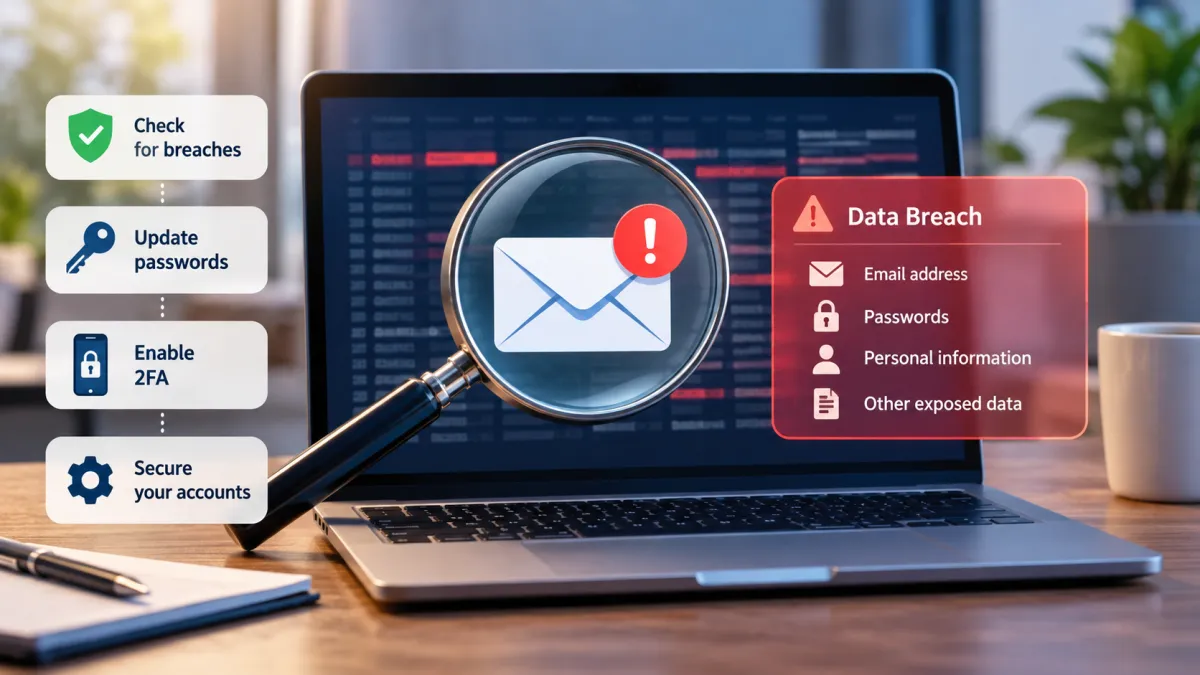
If you want to check whether your email address was exposed in a data breach, start with a reputable breach-checking service such as Have I Been Pwned. Enter your email address on the official website, review any matching breach records, and identify what information may have been exposed.
A match does not automatically mean someone has accessed your email account. It means your address appears in breach data available to that service. The next step depends on the information involved: an exposed password, for example, requires a different response from an email address appearing in an old website's user database.
A clean result also has limits. No single breach database contains every exposure, so a search that finds nothing cannot prove your address has never been compromised.
This guide explains how to check your email safely, interpret the results, protect reused passwords, recognize possible account takeover, and decide when additional identity-theft precautions may be appropriate.
How to Check If Your Email Was in a Data Breach
You can check an email address in a few steps. The important part is to use the official website and understand what the results actually tell you.
Step 1: Open a reputable breach-checking service
Visit Have I Been Pwned, a service that checks email addresses against known breach records.
Make sure you are on the genuine website rather than a lookalike page reached through an unexpected email, advertisement, or suspicious link.
A breach-checking service is different from your email provider's account-security page. A breach checker searches records associated with known incidents; your email provider can help you review account activity and recover an account if necessary.
Step 2: Enter the email address you want to check
Enter the address you use for the accounts you want to investigate.
If you have several email addresses, check them individually. An old address used for shopping accounts, newsletters, or online forums may appear in different breach records from your primary email address.
You do not need to provide your email password to perform an ordinary email-address breach lookup. Do not enter your password into an unfamiliar website claiming to check whether your email was leaked.
Step 3: Review the result
The service may report that your address appears in one or more known breaches, or it may find no matching records.
If a match appears, review the breach details available through the service. These may identify the affected organization, the incident, and categories of information associated with the exposed records.
Do not assume every listed data category was necessarily exposed in the same way for every individual. Read the description and limitations provided by the service.
Step 4: Identify the information involved
The next step is to understand what the breach record says was exposed.
For example, an incident involving email addresses and usernames presents a different concern from one involving passwords or sensitive identity information. A record may also refer to an older incident rather than a recent intrusion.
Use the available details to decide what needs attention first. If a password was involved, prioritize changing it wherever it is still used. If the record suggests sensitive personal information was exposed, consider the additional precautions described later in this guide.
Step 5: Secure the affected accounts
Do not stop after finding a match. Review the affected account and any other account that shares the same password.
Start with accounts that could expose sensitive information or provide access to other services, including your primary email, financial accounts, and accounts used for password resets.
If you suspect someone has accessed your email account, follow your provider's official security or recovery process. A breach lookup alone cannot confirm whether anyone has signed in to your inbox.
What Does an Email Data Breach Result Mean?
A breach result is useful only when you understand what it establishes—and what it does not.
| Result or finding | What it generally means | Recommended next step |
|---|---|---|
| Your email address appears in a breach | The address is associated with records in the service's breach database | Review the incident and the data categories listed |
| A password was exposed | A password may be known to someone else or available in breach data | Change it and any reused versions |
| No matching breach appears | The service did not find a matching record in its available data | Keep protecting the account; do not assume there has never been an exposure |
| You notice unfamiliar account activity | Someone may have accessed the account or attempted to do so | Secure the account and investigate through the provider |
| Sensitive identity information was exposed | The incident may create risks beyond email security | Use official identity-theft guidance to choose appropriate precautions |
These findings are related, but they are not interchangeable.
An exposed email address is not the same as a hacked inbox
Your email address is an identifier used to create accounts and communicate online. It may appear in a company's records even when no one has accessed your email inbox.
For example, imagine you registered for an online shopping account several years ago. The company later suffers a breach involving customer email addresses. Your address might appear in the resulting records even if your email account remains secure.
That situation is different from someone obtaining your email password, signing in, reading messages, and changing your recovery settings.
The distinction matters because the correct response depends on the evidence. An exposed address calls for caution and sensible account protection. Evidence of unauthorized access calls for immediate account security and possibly account recovery.
A breach record does not establish exactly what happened to you
A breach-checking service reports information available to it. It generally cannot establish every detail of how an attacker might use the information, whether a specific person accessed your account, or whether your identity has been misused.
Likewise, an old breach appearing in a search does not necessarily mean the same organization is currently experiencing an incident.
Use the result as a starting point for investigation rather than proof of every possible consequence.
What Information May Be Exposed in a Data Breach?
The information associated with a breach helps determine which protective steps make sense.
Email addresses and usernames
Email addresses and usernames can help someone identify accounts or target you with convincing-looking messages.
After an exposure, be alert for unexpected password-reset messages, suspicious links, and messages that refer to services you actually use. An exposed address does not mean every message you receive afterward is malicious, but it can make targeted phishing attempts more plausible.
You generally do not need to abandon an email address solely because it appears in a breach record.
Passwords
Password exposure deserves particular attention, especially if you reused the same password on multiple websites.
An exposed password may be tried against other services. This is one reason a breach affecting a relatively unimportant website can create a problem for a more important account when credentials are reused.
Change the exposed password on the affected service and everywhere else you used it. Give priority to your primary email and accounts that hold financial or sensitive personal information.
Use unique passwords for different accounts. A reputable password manager can help you create and maintain them without relying on memory alone.
Personal information
Depending on the incident, exposed records may contain names, phone numbers, addresses, dates of birth, or other personal details.
This information may help criminals create more convincing scams or impersonate someone. However, the presence of a name or phone number in a breach does not prove that identity theft has occurred.
Review the specific information listed in the breach details and take precautions proportionate to what was exposed.
Financial or identity information
Some incidents involve information that can create risks beyond ordinary email security, such as financial account details or a Social Security number.
If sensitive identity information was exposed, consult the Federal Trade Commission's IdentityTheft.gov data-breach guidance. It can help you identify relevant steps based on the information involved.
Do not assume every breach requires a credit freeze, paid monitoring, or the same recovery process. The appropriate response depends on the exposure and your circumstances.
What to Do If Your Email Appears in a Data Breach
Once you have identified a match, work through the following actions in order of relevance to your situation.
1. Change exposed and reused passwords
If a password was exposed, change it on the affected account. Then change it on every other service where you reused it.
Choose a unique password for each account. Avoid simply changing one character or adding a number to the old password, especially if the previous version may have been exposed.
If you cannot access the affected account, use the service's official password-reset or account-recovery process. Do not follow password-reset links in an unexpected message unless you have independently verified that the message is legitimate.
2. Secure your primary email account
Your primary email account deserves particular attention because it may be used to reset passwords for many other services.
Review the account's security settings and follow your provider's official instructions. Where available, check recent sign-in activity, recovery email addresses, phone numbers, connected devices, and account permissions.
Remove unfamiliar recovery details or sessions only after confirming that they are not yours. If you suspect unauthorized access, use the provider's official recovery process rather than relying on a breach checker.
3. Enable multifactor authentication
Multifactor authentication, also called MFA or two-factor authentication (2FA), adds another verification step beyond a password.
When available, consider using an authenticator app, a security key, or another strong method supported by the service. The options differ by provider and account type.
MFA does not make an account impossible to compromise, but it can provide an additional barrier if someone learns your password. Prioritize your primary email, financial accounts, and other important services.
4. Check for signs of unauthorized access
A breach match alone does not establish that your account was accessed. Look for evidence that could indicate a separate account-security problem, including:
-
Sign-ins you do not recognize.
-
Password-reset notifications you did not request.
-
Changes to recovery information you did not make.
-
Messages sent from your account without your knowledge.
-
Unexpected account lockouts.
-
New forwarding rules or connected applications you did not authorize.
If you find suspicious activity, secure the account through the provider's official website or recovery process. Review the other accounts that depend on the affected email address, too.
For additional guidance, the FTC explains how to recover a hacked email or social media account in its official account-recovery guide.
5. Watch for phishing attempts
An exposed email address may be used to target you with messages that appear to come from a bank, retailer, employer, or online service.
Be cautious of unexpected messages that demand immediate action, request credentials, or direct you to unfamiliar login pages. A message mentioning a real breach does not automatically mean the sender is legitimate.
Instead of clicking a link in an unexpected notification, visit the organization's official website independently or use a trusted app to review your account.
6. Take additional precautions if sensitive identity information was exposed
If the breach involved a Social Security number, financial information, or other sensitive details, use official recovery guidance to determine whether additional steps are warranted.
Depending on the circumstances, those steps may include contacting a financial institution, reviewing account activity, placing fraud alerts, or considering a credit freeze.
A credit freeze is free in the United States and restricts access to your credit report for many new-credit applications. It does not prevent every form of fraud, such as misuse of an existing account.
Start with IdentityTheft.gov/databreach rather than assuming that every email exposure requires the same response.
What If a Breach Checker Finds Nothing?
A no-match result can be reassuring, but it has a specific meaning: the service did not find your email address in the breach records available to it.
It does not establish that your address has never been exposed.
Some incidents are not publicly disclosed, some records may not be available to a particular service, and newly discovered breaches may take time to appear in a database. Different services can therefore return different results.
If your address is not found, you can still improve your account security:
-
Use unique passwords for important accounts.
-
Enable multifactor authentication where available.
-
Keep recovery information accurate and up to date.
-
Review account activity if your provider offers it.
-
Be cautious with unexpected messages and login requests.
-
Keep your devices, browser, and software updated.
If you received a breach notification from a company, do not dismiss it solely because a separate lookup finds no match. Independently visit the company's official website or contact its verified support channel to confirm the notice.
The goal is not to prove that no exposure has ever occurred. It is to identify known risks and make your accounts harder to compromise.
How to Check Breach Notifications Safely
Breach notifications can be legitimate, but criminals may also use the subject to create phishing messages.
A message might claim that your account has been compromised and ask you to click a link, enter a password, or provide personal information. The existence of a real breach somewhere does not establish that a particular message is genuine.
Use these precautions when checking a notification:
Verify the sender independently. Do not rely only on the displayed sender name. If a message claims to come from a service you use, visit the service's official website directly.
Avoid entering credentials through unexpected links. Open the service through a known address or trusted app and review the account there.
Do not pay simply to discover what happened. Start with the affected organization's official communications and reputable breach-checking resources. If a paid monitoring offer appears, assess whether it addresses a real need rather than assuming payment is required.
Be careful with requests for sensitive information. An unfamiliar website does not need your current email password to perform an ordinary email-address breach lookup.
Review privacy practices. Before using a breach-checking service, read its official documentation about what it checks and how it handles search-related information.
These precautions help you investigate an exposure without creating another security problem in the process.
A Practical Action Checklist
Use this checklist to decide what to do after checking your email.
| Finding | First priority | Next step |
|---|---|---|
| Email address appears, but no password exposure is indicated | Review the breach details | Stay alert for targeted phishing and secure important accounts |
| A password was exposed | Change the affected password | Change every reused version and use unique passwords going forward |
| No matching record appears | Maintain basic account security | Remember that the lookup cannot prove there was never an exposure |
| Suspicious sign-ins or account changes appear | Secure or recover the account | Follow the email provider's official instructions and review connected accounts |
| Sensitive identity information was exposed | Assess identity-theft risk | Use official FTC guidance and consider appropriate financial or credit precautions |
| An unexpected breach notification arrives | Verify it independently | Avoid unfamiliar links and visit the organization's official website |
The checklist is intended to prioritize action, not diagnose every possible breach. If a service provides specific instructions for an incident, review those instructions through a verified channel.
Conclusion
Checking whether your email was exposed in a data breach is a useful first step, but the result needs to be interpreted carefully. A match means your address appears in records available to the service; it does not automatically mean your inbox has been hacked. A clean result does not prove that your address has never been exposed.
Start with a reputable breach checker, review the information associated with any match, and change exposed or reused passwords. Secure your primary email account, enable multifactor authentication, and investigate suspicious activity through your provider's official recovery process.
If the exposure involves sensitive identity or financial information, use the FTC's official resources to determine whether further precautions are appropriate. The most effective response is to act on what the available evidence shows, avoid suspicious breach notifications, and maintain strong account-security habits regardless of the lookup result.
Frequently asked questions
1. Is Have I Been Pwned safe to use?
Have I Been Pwned is an established service for checking email addresses against known breach records. Use its official website, review its privacy policy, and avoid unfamiliar websites that request your password. No online service should be assumed to offer absolute security.
2. Should I change my email address after a data breach?
Not necessarily. An email address appearing in breach records does not automatically mean you need a new address. First, secure your email account, change any exposed or reused passwords, enable multifactor authentication, and investigate any suspicious account activity.
3. Do I need to pay for credit monitoring after an email data breach?
Not automatically. An exposed email address alone does not establish that your financial identity is at risk. Check what information was exposed and whether the affected organization offers monitoring. If sensitive personal information was involved, consult
4. Should I use a separate tool to check whether my password was exposed?
Yes, if you want to check password exposure specifically. Email-address searches and password-exposure checks are different functions. Use a reputable service's official password-checking feature, such as
5. Do I need to freeze my credit after my email address appears in a breach?
An email-only exposure does not automatically require a credit freeze. If your Social Security number or other sensitive identity information was exposed, assess the circumstances and consult official identity-theft guidance. A credit freeze is free in the United States and may be appropriate depending on your situation.
6. How can I find out if my email appears in future data breaches?
Some breach-monitoring services offer notifications when an email address appears in newly identified breach records. Check the service's official notification options and privacy terms. These alerts cannot guarantee that every breach or exposure will be detected.

Maya Thompson writes practical technology content covering consumer technology, software, online services, digital tools, cybersecurity basics, and everyday technology decisions. She focuses on explaining technical topic...