How to Access Free Ebooks, Audiobooks, and Online Learning Through a Public Library Card
Learn how to get a US public library card, find free digital resources, borrow ebooks and audiobooks through apps like Libby and Hoopla, and access online courses. Understand eligibility rules, borrowing limits, and how to find the services offered by your local library.
In this article
- What Digital Resources Can You Access With a Public Library Card?
- How to Get a Public Library Card in the United States
- 1. Find the library that serves your area
- 2. Check the eligibility rules
- 3. Review the application requirements
- 4. Apply online or visit a branch
- Can You Apply for a Digital Library Card Online?
- How to Find Your Library's Digital Services
- Check the access instructions for each service
- Look for borrowing limits and eligibility notes
- How to Borrow Free Ebooks and Audiobooks Through Libby
- Step 1: Install Libby
- Step 2: Find your library
- Step 3: Add your library card
- Step 4: Browse the collection
- Step 5: Borrow a title or place a hold
- Step 6: Read or listen
- What happens when a Libby loan expires?
- Can you use more than one library in Libby?
- Libby vs. Hoopla vs. Kanopy: What Is the Difference?
- Libby: Best for digital reading and listening
- Hoopla: Useful for different types of digital media
- Kanopy: Useful for films and documentaries
- Which platform should you use?
- How to Access Online Courses and Professional Learning Through a Library
- LinkedIn Learning for Library
- Language-learning resources
- DigitalLearn.org
- Research databases and educational resources
- Other Free Digital Resources Your Library May Offer
- Digital magazines and newspapers
- Comics and graphic novels
- Streaming media
- Online reference materials
- What If Your Library Does Not Offer Libby?
- Common Problems When Using Digital Library Services
- The app does not recognize your library card
- Your card works at the branch but not in the app
- A book is listed but cannot be borrowed
- You have reached a borrowing limit
- A digital resource asks for a different login
- How to Get More Value From Your Library Card
- Conclusion
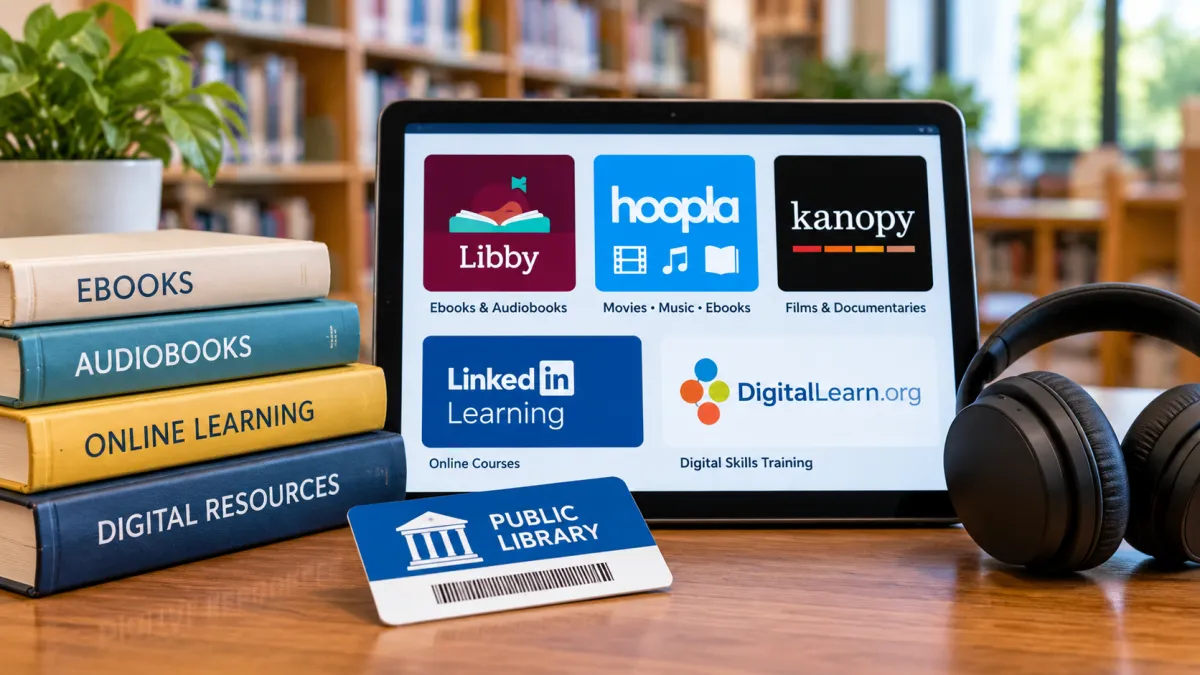
A public library card can provide access to much more than books on physical shelves. Depending on your library system, you may be able to borrow ebooks and audiobooks, stream movies and documentaries, read digital magazines, explore research databases, and take online courses without paying a separate subscription fee.
Many of these resources are available through apps and websites, so you may not need to visit a library branch every time you want to borrow something. You generally need an eligible library card, the correct app or website, and an internet connection. However, the services available to you depend on your library's digital collections, subscriptions, and borrowing policies.
The first step is to find out what your local library offers. From there, you can apply for a card, connect it to supported platforms such as Libby or Hoopla, and explore the digital resources included with your membership.
What Digital Resources Can You Access With a Public Library Card?
Public libraries offer different combinations of digital services. One library might provide ebooks and audiobooks through Libby, while another might also offer movie streaming, online courses, language-learning materials, and research databases.
The following are some of the most common types of resources you may find.
| Digital resource | What you can access | Possible use |
|---|---|---|
| Ebooks | Digital books that can be read on a phone, tablet, e-reader, or computer | Reading fiction, nonfiction, and educational books |
| Audiobooks | Digital books you can listen to | Listening while commuting, exercising, or doing household tasks |
| Digital magazines | Magazine issues available through an app or website | Reading current and back issues |
| Movies and documentaries | Streaming video provided through participating library services | Educational viewing and entertainment |
| Comics and graphic novels | Digital illustrated books and comics | Reading for entertainment or learning |
| Online courses | Professional-development and educational lessons | Building workplace and personal skills |
| Language-learning resources | Language courses and learning materials, where offered | Practicing another language |
| Research databases | Reference materials, articles, and other information resources | School assignments, research, and general learning |
| Digital-literacy lessons | Courses covering computer and internet skills | Learning to use digital devices and online services |
These resources are not automatically included with every public library card. A library may subscribe to some platforms but not others. Its digital collection can also change over time.
For example, a library that provides Libby may not offer Hoopla or Kanopy. Another library might offer all three, along with separate access to online learning platforms.
That is why checking your own library's digital-resource directory is more useful than assuming a particular app will work with your card.
How to Get a Public Library Card in the United States
Before you can use most library-connected digital services, you need a library card that qualifies for access.
Public libraries generally serve defined communities, but eligibility rules differ. Some cards are available to local residents, while certain libraries also offer access to people who work or study in their service area. Reciprocal borrowing arrangements and nonresident membership options may provide additional ways to qualify.
1. Find the library that serves your area
Start by identifying the public library system that serves your home address.
You can search online for your city or county public library, or use a library directory to locate nearby systems. If your community has multiple branches, check whether they belong to the same library network.
Look for the library's official website rather than relying on an app listing or an unofficial directory. The official website is where you can find current card requirements and application instructions.
2. Check the eligibility rules
Before applying, read the library's card-registration policy.
Depending on the system, eligibility may be based on:
-
Living within the library's service area.
-
Living in a city or county covered by the library.
-
Working within the service area.
-
Attending a school or college in the area.
-
Qualifying through a reciprocal borrowing agreement.
-
Purchasing a nonresident membership, if the library offers one.
These conditions are not universal. A library that accepts people who work in its service area does not mean every public library follows the same rule.
For example, Massachusetts has statewide library-card eligibility provisions that include people who live, work, or study in the state. Other library systems use their own local service-area policies.
Check the specific library's rules before assuming you qualify.
3. Review the application requirements
The documents or information requested depend on the library.
An application may ask for information such as:
-
Your name.
-
Your current residential address.
-
Contact information.
-
Proof of residency or another qualifying connection.
-
Identification, where required.
Some libraries may accept an online application, while others require applicants to complete registration at a branch or verify their information in person.
Do not assume that one type of identification or proof of address will be accepted everywhere. Follow the instructions on the library's official application page.
4. Apply online or visit a branch
If online registration is available, complete the application through the library's official website.
Some systems issue an electronic card or temporary digital credentials that allow access to selected resources. Others may require additional verification before full borrowing privileges are activated.
If online registration is not available, visit an eligible branch and follow its registration process.
Once your card is issued, keep the card number and any associated PIN or password in a secure place. You may need both to sign in to digital services.
Can You Apply for a Digital Library Card Online?
Many public libraries provide an online card-registration option, but the type of access you receive varies.
An eCard is a digital library card or electronic account that may allow eligible users to access certain library services without first collecting a physical card. Some libraries provide immediate access to digital materials, while others issue temporary credentials or require identity and residency verification.
It is important to understand that an eCard does not necessarily provide access to every service offered by the library.
For example, a library might allow an eCard holder to use its digital books and databases but require a different registration process for other borrowing privileges.
Before applying, check:
-
Whether the library accepts online applications.
-
Whether you must live within its service area.
-
Whether the online card is temporary or permanent.
-
Which digital services are included.
-
Whether you must visit a branch to verify your information.
-
Whether any fees apply to your particular membership type.
If you already have a physical library card, you may not need a separate eCard. Your existing card may work with the library's supported apps and websites.
How to Find Your Library's Digital Services
Once you have identified an eligible library, find its digital-resource page. This is usually the most reliable way to discover which apps, learning platforms, and online collections are available to you.
Search the library's website for terms such as:
-
Digital Library
-
Online Resources
-
Ebooks and Audiobooks
-
Digital Collections
-
Streaming Services
-
Research Databases
-
Online Learning
-
Library Apps
You can also use the website's search feature and enter the name of a platform, such as Libby, Hoopla, or Kanopy.
Check the access instructions for each service
A library may provide several digital resources through different providers. Each service can have its own sign-in process.
For example:
-
One app may ask you to select your library and enter your card number.
-
Another may require your card number and PIN.
-
A learning platform may provide a separate login page for library members.
-
A research database may require you to access it through a link on the library's website.
Do not assume that signing in to one platform automatically gives you access to every other service.
Look for borrowing limits and eligibility notes
The digital-resource page may also explain:
-
Which card types qualify.
-
Whether access is available outside the library.
-
How many items you can borrow.
-
How long loans last.
-
Whether holds are available.
-
Whether the service has monthly or daily limits.
These details are important because two libraries can offer the same app but provide different borrowing allowances.
How to Borrow Free Ebooks and Audiobooks Through Libby
Libby is a digital reading app from OverDrive that connects users with ebooks, audiobooks, and magazines from participating public libraries.
If your library offers Libby, you can use it to browse the available collection, borrow eligible titles, place holds, and read or listen through supported devices.
Step 1: Install Libby
Download the Libby app from the official app store for your device, or use the supported Libby website.
Open the app and follow the instructions to find your library.
Step 2: Find your library
Search for the public library system that issued your card.
Make sure you select the correct library. Similar library names can appear in search results, especially when a region has multiple library systems.
Step 3: Add your library card
Choose the option to sign in with your library card and enter the requested information.
You may need:
-
Your library card number.
-
Your library PIN or password.
If the app cannot recognize your card, check that you selected the correct library and entered the credentials exactly as provided. If the problem continues, contact the library.
Step 4: Browse the collection
Once connected, browse the library's available ebooks, audiobooks, and magazines.
You can often search by:
-
Book title.
-
Author.
-
Subject.
-
Genre.
-
Format.
-
Availability.
A title that appears in the catalog may not always be immediately available. Some digital titles have limited copies, just like popular physical books.
Step 5: Borrow a title or place a hold
If a title is available, select the borrow option and follow the app's instructions.
If it is already checked out, you may be able to place a hold. The app can show your position in the hold queue or an estimated wait, depending on the title and library settings.
When a held title becomes available, Libby will notify you according to the app's notification settings.
Step 6: Read or listen
You can use the Libby app to read supported ebooks and listen to audiobooks.
Depending on the title and available options, you may also be able to send an eligible ebook to a Kindle device or Kindle app through the supported US library workflow.
Not every ebook has a Kindle option, so check the individual title's available reading formats.
What happens when a Libby loan expires?
Digital loans generally have a set borrowing period. When the loan reaches its due date, the title is automatically returned.
This means you usually do not need to visit a branch or manually return an ebook to avoid an overdue physical-book return.
If you have not finished reading or listening, you may be able to borrow the title again if a copy is available. If all copies are checked out, you may need to place another hold.
Can you use more than one library in Libby?
Libby supports adding multiple libraries and library cards to an account.
This can be useful if you independently qualify for cards from more than one library system. For example, a person might qualify through residence in one area and through a separate work or study eligibility rule in another.
However, you cannot assume that any library will issue a card simply because you want access to its digital collection. Each library's eligibility rules still apply.
Different libraries may also have different collections, loan periods, and borrowing limits.
Libby vs. Hoopla vs. Kanopy: What Is the Difference?
Libby, Hoopla, and Kanopy all provide digital resources through participating libraries, but they serve different purposes.
| Platform | Main content | How access works | Important limitation |
|---|---|---|---|
| Libby | Ebooks, audiobooks, and magazines | Connect an eligible library card to the app | Collections, loans, and holds vary by library |
| Hoopla | Ebooks, audiobooks, comics, movies, music, and other media | Sign in through a participating library | Monthly and possible daily borrowing limits |
| Kanopy | Films and documentaries | Access through a participating library account | Monthly ticket allowances and participation vary |
Libby: Best for digital reading and listening
Libby is particularly useful if your main goal is to borrow ebooks and audiobooks.
Its catalog is connected to your library's digital collection. Some popular titles may have waiting lists, and the number of loans and holds available to you is determined by the library.
Hoopla: Useful for different types of digital media
Hoopla offers more than books. Depending on your library's collection, you may be able to borrow audiobooks, ebooks, comics, movies, and music.
One important difference is that Hoopla has different borrowing arrangements.
Instant borrows count toward the user's monthly borrowing allowance. Returning a regular Instant title early does not restore that monthly credit.
Flex borrows work differently. Where a library offers eligible Flex titles, returning one early can make that borrowing opportunity available again.
Some libraries also use a collective daily borrowing or spending limit. This is separate from an individual monthly allowance. As a result, you might temporarily be unable to borrow an item even when you still have personal borrows remaining.
Check the borrowing information shown in Hoopla and the rules published by your library.
Kanopy: Useful for films and documentaries
Kanopy focuses on streaming films and documentaries through participating libraries.
Its access model can use monthly tickets assigned by the library. The number of tickets available varies, and unused tickets do not roll over to the following month.
Kanopy Kids content is treated differently under the ticket system.
If you are interested in educational films or documentaries, check whether your library provides Kanopy and review its current ticket policy before choosing what to watch.
Which platform should you use?
Your choice depends on what you want to access:
-
For ebooks and audiobooks, start with Libby if your library offers it.
-
For a wider mix of digital media, check Hoopla.
-
For films and documentaries, see whether Kanopy is included.
-
If one service is unavailable, explore the other platforms listed in your library's digital-resource directory.
You do not necessarily have to choose only one. A library may offer several services, and eligible members may be able to use each one separately.
How to Access Online Courses and Professional Learning Through a Library
Digital library services are not limited to reading and entertainment. Some public libraries provide online courses and learning platforms that can help people develop professional, academic, and everyday digital skills.
The exact selection depends on the library.
LinkedIn Learning for Library
LinkedIn Learning for Library is a professional-learning service that participating libraries can make available to their members.
Its course catalog can help users explore professional and personal-development subjects. Depending on the available catalog, this may include areas such as business, technology, creative skills, and workplace development.
Some library members can sign in using their library card number and PIN without having a personal LinkedIn profile.
However, this access is not available through every library. Check your library's digital-learning page for the correct sign-in instructions.
Language-learning resources
Some libraries provide language-learning platforms or online materials for members.
These resources may help users practice vocabulary, listening, reading, or other language skills. The available languages and course formats depend on the provider and the library's subscription.
Look for a section labeled language learning, online learning, or educational databases on your library's website.
DigitalLearn.org
DigitalLearn.org is a digital-literacy resource offering self-directed learning materials.
It is separate from a library's paid or subscribed digital platforms and does not require a library card to explore its available resources.
It can be useful for people who want to improve their confidence with computers, internet use, and common digital tasks.
Research databases and educational resources
Public libraries may also provide online databases containing research materials, reference information, articles, and educational resources.
These can be useful for:
-
Students working on assignments.
-
Adults researching a subject.
-
Job seekers exploring career information.
-
People learning about a new topic.
-
Readers who need reliable reference material.
Some databases can be accessed remotely after signing in with a library card. Others may have specific access instructions.
If you cannot open a database from a search engine, return to your library's official website and follow its link to the resource.
Other Free Digital Resources Your Library May Offer
Beyond the major apps, your library may provide additional online collections.
Digital magazines and newspapers
Some library systems offer access to digital magazines, newspapers, and periodicals.
These can be useful for readers who want current publications or back issues without purchasing individual subscriptions.
The provider and available publications vary by library. Check the digital-magazine or newspaper section of the library's website.
Comics and graphic novels
Digital collections may include comics, graphic novels, and illustrated books.
Depending on the library, these may be available through a general ebook service or a separate digital-media platform.
Streaming media
Some libraries provide streaming access to films, documentaries, or other media through services such as Kanopy or Hoopla.
The available catalog and borrowing rules depend on the library's agreement with the provider.
Online reference materials
Research databases can offer access to reference materials that may be useful for schoolwork, professional research, or personal learning.
A library may provide specialized resources for particular subjects. These could include academic research, consumer information, historical material, or other reference collections.
The most reliable way to identify them is to browse the library's database directory.
What If Your Library Does Not Offer Libby?
Not every public library participates in Libby. That does not necessarily mean your library has no digital books or online resources.
Start by checking the library's official digital-resource page. It may provide ebooks through another platform, offer audiobooks separately, or use a library-specific digital collection.
You can also ask library staff:
-
Which app or website should members use for ebooks?
-
Does the library provide audiobooks?
-
Are digital magazines available?
-
Is there a separate online learning collection?
-
Can members apply for an eCard?
-
Are there other libraries for which I may qualify?
If you are eligible for another library system through residence, work, study, or a reciprocal agreement, you may be able to access its digital services too.
Do not pay for a nonresident membership before checking the library's current rules and confirming which resources the membership includes.
Common Problems When Using Digital Library Services
Even when a library offers a digital platform, users can sometimes have trouble signing in or borrowing materials. Many problems are related to card eligibility, account credentials, or local borrowing limits.
The app does not recognize your library card
Check that you selected the correct library system and entered the full card number.
Some platforms also require a PIN. If you do not know it, use the library's official PIN-reset instructions or contact library staff.
Your card works at the branch but not in the app
Physical borrowing privileges and digital-service access may have different requirements.
Check whether your card type is eligible for the particular app. Also confirm that your card is active and that the library has not placed a restriction on your account.
If the problem continues, ask the library to check your digital access.
A book is listed but cannot be borrowed
A title may appear in the catalog even when all available copies are currently checked out.
If the platform supports holds, you may be able to join the waiting list. You can also search for another format or a different title.
You have reached a borrowing limit
Your library may limit how many items you can borrow or reserve at one time.
Hoopla can also have a collective daily limit, which is separate from the individual monthly allowance.
Check the platform's account information and your library's borrowing policy to understand which limit applies.
A digital resource asks for a different login
Some services use their own library sign-in page rather than the same login process as Libby or Hoopla.
Return to your library's official digital-resource directory and open the service from there. Follow its instructions instead of assuming your credentials are incorrect.
How to Get More Value From Your Library Card
A library card becomes more useful when you explore the full range of services available to you instead of using only one app.
A few practical habits can help.
Check the complete digital-resource directory. Do not stop after finding Libby. Your library may offer learning platforms, databases, magazines, streaming services, or other collections.
Understand the limits before borrowing. Check loan periods, hold limits, monthly allowances, and any daily borrowing restrictions. This is especially useful when using platforms with different borrowing systems.
Use search and filters. Digital catalogs can contain many titles and formats. Searching by topic, author, format, or availability can make it easier to find something useful.
Explore learning resources as well as entertainment. If you are studying, developing workplace skills, or improving your digital literacy, check whether your library provides courses or research databases.
Keep your library account active. Pay attention to card renewal instructions, account notices, and changes to access credentials. An expired or restricted card may prevent you from using some digital services.
Check other libraries only when you qualify. If you are eligible for more than one library system, compare their digital collections and borrowing rules. Adding multiple eligible cards to Libby may provide access to a broader range of titles.
Conclusion
A US public library card can provide access to far more than physical books. Depending on your library, it may connect you with ebooks, audiobooks, movies, documentaries, magazines, research databases, and online learning resources.
Start by finding the public library that serves your area and checking its card eligibility rules. Then explore its official digital-resource directory to see whether it offers Libby, Hoopla, Kanopy, LinkedIn Learning for Library, or other services.
The most important point is that digital access varies by library. Check the available platforms, sign-in instructions, and borrowing limits before relying on a particular service. With a little exploration, your existing library membership may give you access to useful reading, learning, and media resources without requiring separate paid subscriptions.
Frequently asked questions
1. Can I use more than one library card with Libby?
Yes. Libby supports adding multiple libraries and library cards to the app. You must qualify for each library card under that library's eligibility rules. Each library may also have different ebook collections, loan periods, borrowing limits, and hold limits.
2. Can I use my public library's digital resources outside the United States?
It depends on the library, platform, and content licensing arrangements. Some digital resources may have geographic restrictions. Check your library's and the provider's access policies before relying on international access.
3. Does returning a Hoopla book early give me another borrowing credit?
Not always. Hoopla distinguishes between Instant and Flex borrows. Returning a regular Instant title early does not restore the monthly borrowing credit. An eligible Flex title can work differently, allowing the borrow to become available again after an early return. Check the borrowing type and your library's rules.
4. Can I access LinkedIn Learning with a library card without having a LinkedIn account?
Yes, if your public library participates in LinkedIn Learning for Library. Eligible users can sign in using their library card number and PIN without creating or using a personal LinkedIn profile.
5. What can I do if my library card works at the library but not in a digital app?
First, confirm that your library provides access to that particular app. Then check that you selected the correct library, entered your full card number, and used the correct PIN. Also check whether your card has expired, needs renewal, or has an account restriction. If the problem continues, contact your library because digital access requirements can differ from ordinary in-library borrowing.

Maya Thompson writes practical technology content covering consumer technology, software, online services, digital tools, cybersecurity basics, and everyday technology decisions. She focuses on explaining technical topic...