How to Calculate a Salary Raise Percentage: Formula, Examples, and New Pay
Learn how to calculate a salary raise percentage, determine your new annual salary, and estimate your gross paycheck increase. This guide includes practical examples, formulas, and Excel or Google Sheets calculations.
In this article
- Salary Raise Percentage Formula
- Example: Calculate a 5% Salary Raise
- How to Calculate a Salary Raise Percentage Step by Step
- Step 1: Identify Your Old Salary
- Step 2: Identify Your New Salary
- Step 3: Subtract the Old Salary From the New Salary
- Step 4: Divide the Increase by the Old Salary
- Step 5: Multiply by 100
- How to Calculate the Dollar Amount of a Salary Raise
- Salary Raise Dollar Amount Examples
- How to Calculate Your New Salary After a Raise
- Example: New Salary After an 8% Raise
- New Salary Examples for Different Raise Percentages
- How to Calculate the Percentage Increase From Old Salary to New Salary
- Example: Salary Increased From $45,000 to $49,500
- Why You Should Divide by the Old Salary
- How to Calculate a Salary Raise Per Paycheck
- Example: A $3,000 Annual Raise
- Estimate Your New Gross Paycheck
- How to Calculate a Salary Raise in Excel or Google Sheets
- Calculate Raise Percentage in a Spreadsheet
- Calculate the Dollar Raise
- Calculate the New Salary From a Raise Percentage
- Calculate the Gross Paycheck Increase
- How to Calculate the Raise Percentage Needed to Reach a Target Salary
- Example: Reaching a $70,000 Salary
- Common Mistakes When Calculating a Salary Raise
- Using the New Salary Instead of the Old Salary
- Comparing Different Pay Periods
- Confusing a Dollar Raise With a Percentage Raise
- Using Take-Home Pay Instead of Gross Salary
- Including Bonuses Without Separating Base Salary
- Salary Raise Percentage vs. Salary Increase Amount
- How to Understand the Effect of a Raise on Take-Home Pay
- Conclusion
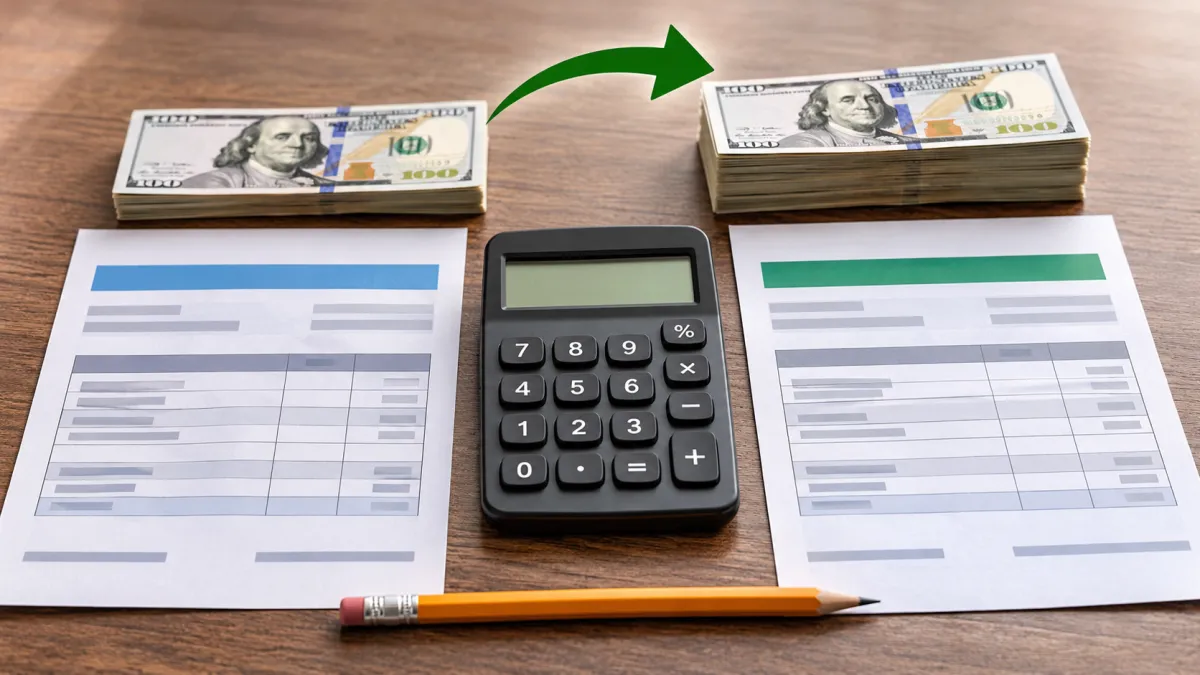
A salary raise percentage tells you how much your pay has increased relative to your previous salary. Whether you received a 3% raise, negotiated a 10% increase, or changed jobs for a higher salary, calculating the percentage helps you understand the actual change in your earnings.
The basic formula is:
Salary Raise Percentage = (New Salary − Old Salary) ÷ Old Salary × 100
For example, if your annual salary increases from $60,000 to $63,000:
-
Old salary: $60,000
-
New salary: $63,000
-
Dollar increase: $3,000
-
Raise percentage: 5%
The calculation is based on gross salary, which means your pay before taxes and other deductions. This guide explains how to calculate the percentage increase, determine your new salary after a raise, estimate the gross paycheck impact, and use spreadsheet formulas.
Salary Raise Percentage Formula
The salary raise percentage formula compares the difference between your new salary and your old salary with your old salary.
Formula:
Salary Raise Percentage = (New Salary − Old Salary) ÷ Old Salary × 100
Here is what each part means:
-
Old salary: Your annual gross salary before the raise.
-
New salary: Your annual gross salary after the raise.
-
Salary difference: The dollar amount added to your annual salary.
-
Raise percentage: The relative increase expressed as a percentage.
The old salary is the denominator because the calculation measures the increase relative to what you earned before.
Example: Calculate a 5% Salary Raise
Suppose your annual salary was $60,000 and your employer increased it to $63,000.
Step 1: Calculate the dollar increase.
$63,000 − $60,000 = $3,000
Step 2: Divide the increase by your old salary.
$3,000 ÷ $60,000 = 0.05
Step 3: Convert the decimal to a percentage.
0.05 × 100 = 5%
Your salary raise percentage is 5%.
This means your annual gross salary increased by $3,000, or 5%, compared with your previous salary.
How to Calculate a Salary Raise Percentage Step by Step
You can calculate a raise percentage with a calculator, spreadsheet, or by hand. The process is the same regardless of whether your salary is $40,000 or $100,000.
Step 1: Identify Your Old Salary
Use the salary you earned before the increase.
For an annual salaried employee, this is usually the annual gross base salary. Avoid using your take-home pay because deductions can vary and do not represent the actual salary increase.
For example:
Old annual salary = $50,000
Step 2: Identify Your New Salary
Use the annual gross base salary after the raise.
For example:
New annual salary = $52,500
Make sure both amounts cover the same period. Comparing an annual salary with a monthly salary will produce an incorrect result unless you convert them first.
Step 3: Subtract the Old Salary From the New Salary
$52,500 − $50,000 = $2,500
The annual salary increase is $2,500.
Step 4: Divide the Increase by the Old Salary
$2,500 ÷ $50,000 = 0.05
Step 5: Multiply by 100
0.05 × 100 = 5%
The raise percentage is 5%.
You can use this same process to calculate a raise of any size, including a small increase, a large promotion-related raise, or a salary decrease.
How to Calculate the Dollar Amount of a Salary Raise
Sometimes you know the raise percentage but want to find out how many dollars it adds to your salary.
Use this formula:
Dollar Raise = Old Salary × (Raise Percentage ÷ 100)
For example, suppose your old salary is $60,000 and you receive a 7% raise.
$60,000 × (7 ÷ 100) = $4,200
Your annual salary increase is $4,200.
Your new salary is:
$60,000 + $4,200 = $64,200
A 7% raise on a $60,000 salary therefore adds $4,200 to your annual gross pay.
Salary Raise Dollar Amount Examples
The dollar value of a raise depends on your starting salary. The same percentage produces a larger dollar increase when the starting salary is higher.
| Old Annual Salary | Raise Percentage | Annual Dollar Raise | New Annual Salary |
|---|---|---|---|
| $40,000 | 5% | $2,000 | $42,000 |
| $50,000 | 5% | $2,500 | $52,500 |
| $60,000 | 5% | $3,000 | $63,000 |
| $75,000 | 8% | $6,000 | $81,000 |
| $100,000 | 10% | $10,000 | $110,000 |
These are mathematical examples, not estimates of typical or expected employer raises.
The table also shows why a percentage alone does not tell you the full value of an increase. A 5% raise on $40,000 adds $2,000, while a 5% raise on $100,000 adds $5,000.
How to Calculate Your New Salary After a Raise
If you know your current salary and the raise percentage, you can calculate your new annual salary directly.
Use this formula:
New Salary = Old Salary × (1 + Raise Percentage ÷ 100)
Example: New Salary After an 8% Raise
Suppose your current annual salary is $75,000 and your raise is 8%.
Step 1: Convert the percentage into a decimal.
8 ÷ 100 = 0.08
Step 2: Add 1.
1 + 0.08 = 1.08
Step 3: Multiply your old salary by the resulting factor.
$75,000 × 1.08 = $81,000
Your new annual salary is $81,000.
The raise adds $6,000 to your annual gross salary.
New Salary Examples for Different Raise Percentages
| Old Salary | Raise | New Salary |
|---|---|---|
| $45,000 | 3% | $46,350 |
| $50,000 | 4% | $52,000 |
| $60,000 | 5% | $63,000 |
| $70,000 | 6% | $74,200 |
| $80,000 | 7% | $85,600 |
| $90,000 | 8% | $97,200 |
| $100,000 | 10% | $110,000 |
These examples assume the raise applies to the entire annual base salary and that there are no additional changes to compensation.
How to Calculate the Percentage Increase From Old Salary to New Salary
The salary percentage increase formula is useful when you know both your old salary and your new salary but do not know the raise percentage.
The formula is:
Percentage Increase = (New Value − Old Value) ÷ Old Value × 100
For salary calculations, the old and new values should be gross salaries measured over the same period.
Example: Salary Increased From $45,000 to $49,500
Old salary = $45,000
New salary = $49,500
First, calculate the difference:
$49,500 − $45,000 = $4,500
Then divide the increase by the old salary:
$4,500 ÷ $45,000 = 0.10
Convert it to a percentage:
0.10 × 100 = 10%
The salary increased by 10%.
Why You Should Divide by the Old Salary
A common mistake is dividing the dollar increase by the new salary instead of the old salary.
For this example:
$4,500 ÷ $49,500 × 100 ≈ 9.09%
That result is not the raise percentage. It compares the increase with the new salary rather than the starting salary.
The correct calculation uses $45,000 as the denominator and gives a 10% increase.
How to Calculate a Salary Raise Per Paycheck
An annual salary raise does not necessarily arrive as one lump sum. For many employees, the increase is reflected in regular paychecks.
To estimate the gross raise per paycheck, divide the annual dollar increase by the number of pay periods in a year.
Gross Raise Per Paycheck = Annual Dollar Raise ÷ Annual Pay Periods
Common US payroll schedules include:
| Pay Frequency | Paychecks Per Year |
|---|---|
| Weekly | 52 |
| Biweekly | 26 |
| Semimonthly | 24 |
| Monthly | 12 |
Weekly pay generally means one paycheck each week. Biweekly pay means one paycheck every two weeks. Semimonthly pay means two scheduled paychecks per month, often on specific dates.
These schedules are not interchangeable. For example, biweekly employees typically receive 26 paychecks per year, while semimonthly employees receive 24.
Example: A $3,000 Annual Raise
Suppose your annual salary increases from $60,000 to $63,000.
The annual dollar raise is:
$63,000 − $60,000 = $3,000
The estimated gross increase per paycheck depends on your pay frequency.
| Pay Frequency | Calculation | Gross Increase Per Paycheck |
|---|---|---|
| Weekly | $3,000 ÷ 52 | $57.69 |
| Biweekly | $3,000 ÷ 26 | $115.38 |
| Semimonthly | $3,000 ÷ 24 | $125.00 |
| Monthly | $3,000 ÷ 12 | $250.00 |
These amounts represent gross pay before taxes and deductions.
Your actual paycheck may differ due to payroll rounding, the effective date of the raise, withholding, insurance premiums, retirement contributions, or other deductions.
Estimate Your New Gross Paycheck
You can also calculate the new gross paycheck using the new annual salary.
For example, if your new annual salary is $63,000 and you are paid biweekly:
$63,000 ÷ 26 = $2,423.08
Your new estimated gross biweekly paycheck is $2,423.08.
Your previous gross biweekly paycheck was:
$60,000 ÷ 26 = $2,307.69
The difference is approximately:
$2,423.08 − $2,307.69 = $115.39
The slight difference from the $115.38 figure in the table can arise from rounding the two paycheck amounts separately. The unrounded annual raise divided by the pay periods is the more direct calculation.
How to Calculate a Salary Raise in Excel or Google Sheets
Microsoft Excel and Google Sheets can calculate raise percentages, dollar increases, and new salaries using simple formulas.
You do not need a specialized salary raise calculator if you have the old salary and new salary values.
Calculate Raise Percentage in a Spreadsheet
Suppose your spreadsheet contains:
| Cell | Value |
|---|---|
| A2 | $60,000 |
| B2 | $63,000 |
Cell A2 contains the old salary. Cell B2 contains the new salary.
In cell C2, enter:
=(B2-A2)/A2Then format C2 as a percentage.
The result is 5%.
If you prefer to display the result as a regular number rather than percentage formatting, use:
=((B2-A2)/A2)*100This returns 5 as the numerical percentage value.
Calculate the Dollar Raise
If A2 contains the old salary and B2 contains the new salary, enter:
=B2-A2The result is $3,000.
Calculate the New Salary From a Raise Percentage
Suppose:
-
A2 = $60,000 old salary
-
B2 = 5% raise
Enter:
=A2*(1+B2)If B2 is formatted as a percentage and contains 5%, the result is $63,000.
If you enter the number 5 in B2 instead of 5%, use:
=A2*(1+B2/100)Be consistent about how the percentage is stored. Mixing a percentage-formatted value such as 5% with a whole number such as 5 can produce an incorrect result.
Calculate the Gross Paycheck Increase
Suppose:
-
A2 = annual dollar raise
-
B2 = number of pay periods
Enter:
=A2/B2For a $3,000 annual raise and 26 biweekly pay periods:
=3000/26The result is approximately $115.38 in additional gross pay per paycheck.
Microsoft Excel's official guidance on percentage calculations can help if you need more details about entering, formatting, and calculating percentages.
How to Calculate the Raise Percentage Needed to Reach a Target Salary
You may have a salary goal and want to determine what percentage increase would take you there.
Use this formula:
Required Raise Percentage = (Target Salary − Current Salary) ÷ Current Salary × 100
Example: Reaching a $70,000 Salary
Suppose your current annual salary is $64,000 and your target salary is $70,000.
Calculate the dollar difference:
$70,000 − $64,000 = $6,000
Divide the difference by your current salary:
$6,000 ÷ $64,000 = 0.09375
Multiply by 100:
0.09375 × 100 = 9.375%
You would need an increase of approximately 9.38% to reach a $70,000 annual salary from $64,000.
This formula can help you evaluate a proposed raise or calculate the percentage increase between your current pay and a desired salary target. It does not mean an employer will necessarily offer that amount.
Common Mistakes When Calculating a Salary Raise
Even though the formula is simple, several mistakes can lead to an incorrect result.
Using the New Salary Instead of the Old Salary
The raise percentage is calculated relative to the old salary.
Incorrect:
Increase ÷ New Salary × 100
Correct:
Increase ÷ Old Salary × 100
Always use the old salary as the denominator when calculating the percentage increase.
Comparing Different Pay Periods
Do not compare an old monthly salary with a new annual salary directly.
For example, $5,000 per month and $65,000 per year are not amounts measured over the same period.
Convert both values to annual salary:
$5,000 × 12 = $60,000
Then compare $60,000 with $65,000.
The increase is:
($65,000 − $60,000) ÷ $60,000 × 100 ≈ 8.33%
If your compensation is hourly, you may first need to convert hourly pay to annual salary using a consistent schedule. KnowBrook's guide on converting hourly pay to annual salary and annual salary to hourly explains that conversion.
Confusing a Dollar Raise With a Percentage Raise
A $3,000 salary increase is not automatically a 3% raise.
The percentage depends on your starting salary.
For a $60,000 salary:
$3,000 ÷ $60,000 × 100 = 5%
For a $100,000 salary:
$3,000 ÷ $100,000 × 100 = 3%
The same dollar increase can represent different percentages for different salaries.
Using Take-Home Pay Instead of Gross Salary
Take-home pay is the amount deposited into your account after taxes and deductions. Gross salary is the amount earned before those deductions.
If your paycheck changes because of updated tax withholding, health insurance premiums, or retirement contributions, your net pay may change even when your base salary has not changed.
For a salary raise percentage calculation, compare gross base salary before and after the raise. Use take-home pay separately when estimating your household budget.
Including Bonuses Without Separating Base Salary
A bonus is not necessarily a permanent increase to your regular base salary.
If your base salary rises from $60,000 to $63,000 and you also receive a $2,000 bonus, the base salary raise remains 5%.
Including the bonus in the new compensation total would measure a broader change in compensation, not just the base salary raise.
Be clear about whether you are comparing:
-
Annual base salary
-
Total annual compensation
-
Salary plus bonuses
-
Gross paycheck amounts
-
Net take-home pay
These are different measures.
Salary Raise Percentage vs. Salary Increase Amount
A salary raise percentage and a salary increase amount describe the same change in two different ways.
The dollar amount tells you how much additional money you earn annually. The percentage tells you how large the increase is relative to your previous salary.
| Old Salary | New Salary | Dollar Increase | Raise Percentage |
|---|---|---|---|
| $40,000 | $42,000 | $2,000 | 5% |
| $60,000 | $63,000 | $3,000 | 5% |
| $80,000 | $84,000 | $4,000 | 5% |
| $100,000 | $105,000 | $5,000 | 5% |
Each salary has a 5% increase, but the dollar value differs.
This distinction can be useful when comparing compensation offers. A percentage can help compare the relative increase, while the dollar amount helps you understand how much additional gross income the raise adds.
How to Understand the Effect of a Raise on Take-Home Pay
A raise increases gross salary, but the amount you receive in your bank account may be smaller than the gross increase.
For example, a $3,000 annual salary raise does not necessarily mean you will receive an extra $3,000 in take-home pay over the year.
Your paycheck can be affected by:
-
Federal income tax withholding
-
Social Security and Medicare withholding
-
State and local income tax withholding, where applicable
-
Health insurance premiums
-
Retirement contributions
-
Other payroll deductions
The precise impact depends on your circumstances and payroll settings.
If you want to review your federal income tax withholding after a salary change, the IRS Tax Withholding Estimator is a useful resource. It can help estimate whether your withholding may need adjustment.
The estimator is not a salary raise calculator. First calculate the gross salary increase using the salary formula, then use a withholding tool separately if you need to review your estimated tax withholding.
A salary raise percentage should not be treated as a guaranteed percentage increase in net pay.
Conclusion
Calculating a salary raise percentage is straightforward when you compare your old and new gross salaries using the same pay period.
Use the formula:
(New Salary − Old Salary) ÷ Old Salary × 100
The result tells you the percentage increase in your salary. You can also calculate the dollar raise, determine your new annual pay, estimate the gross increase per paycheck, or use Excel and Google Sheets to perform the calculations.
For an accurate comparison, use your old salary as the denominator, keep the pay periods consistent, and distinguish base salary from bonuses and take-home pay. These steps help you understand the actual value of a salary increase and make more informed compensation decisions.
Frequently asked questions
1. Is a raise percentage calculated using gross salary or take-home pay?
A salary raise percentage is generally calculated using gross salary, which is your pay before taxes and other deductions. Compare your old gross salary with your new gross salary on the same pay basis, such as annual salary. Take-home pay is different because it reflects deductions and withholding.
2. Can a salary raise percentage be negative?
Yes. A negative percentage means your new salary is lower than your old salary. For example, if your annual salary decreases from $60,000 to $57,000, the percentage change is −5%. This represents a salary decrease rather than a raise.
3. Does a 5% raise mean your paycheck increases by 5%?
A 5% raise increases your gross salary by 5% when calculated using the same pay basis. However, your take-home paycheck may not increase by exactly 5% because taxes, withholding, insurance premiums, retirement contributions, and other deductions can affect the amount you receive.
4. Is the salary raise percentage the same when calculated monthly versus annually?
Yes, provided the old and new salaries are converted consistently. If both monthly salaries represent the same annual salary divided by 12, the percentage change will be the same as the annual calculation. Do not compare monthly pay with annual pay without converting them to the same basis.
5. How do you calculate the percentage increase needed to reach a target salary?
Subtract your current salary from your target salary, divide the difference by your current salary, and multiply by 100. Formula:
6. Should bonuses be included when calculating a salary raise percentage?
Usually, calculate the raise percentage using base salary alone when evaluating an increase to your regular pay. Bonuses are variable compensation and should be considered separately unless you are specifically comparing total compensation before and after the change.

James Collins writes practical content about work, business, careers, workplace trends, productivity, and professional development. His articles focus on helping readers understand everyday workplace decisions, business...